When Not to Use AI Agents (Yet): Stop Conditions and What to Use Instead
Eight stop conditions for AI agents: when process, data, ownership, or volume make agents the wrong tool. What to use instead, when to revisit, and how research frames production failure risk.
Written by Northstar
Northstar is an AI agent systems studio. Alex leads engineering and product systems; Jordan leads operations and workflow fit. We ship production agents inside tools teams already use.
Alex Morgan · LinkedIn · Northstar
Do not deploy AI agents when the process is unknown or unstable, the data feeding it is untrusted, irreversible actions have no owner, success cannot be written down as a metric, or the volume is too low to repay the build. Automating confusion multiplies confusion, at machine speed and API prices. Most "failed AI projects" were not model failures; they were projects that should have been stopped at this checklist. An honest vendor will tell you no. This page is the checklist we use to say it. Public benchmarks and enterprise pilot coverage also show that agent task success and P&L impact are far from automatic - see the short evidence section below - which is why readiness gates matter before a build.
The eight stop conditions
Any single one of these is a "not yet":
- Nobody can draw the process. If two people who run the workflow describe it differently, an agent will automate the disagreement.
- The process changes monthly. Agents encode a process; a moving target means permanent rework. Stabilize first. Classic automation research already flags unstable process and judgment assumptions as failure patterns, long before the agent wave (HBR on four patterns of automation failure).
- Success has no written metric. "Make it smarter" is not an acceptance test. If you cannot define finished work quality, you cannot evaluate the agent, and neither can the vendor. For how to define and run that test, see how to evaluate AI agents before go-live.
- The input data is untrusted. Stale CRM fields, duplicate records, tribal-knowledge spreadsheets. An agent acting on bad data produces confident, fast, wrong actions.
- Irreversible actions have no owner. If no named person will approve sends, payments, or record changes during the gated phase, the gate is theater. Security practice labels unchecked tool use and autonomy as Excessive Agency risk in LLM applications - gates are not optional polish.
- A deterministic rule already solves it. If the logic is "when X, do Y" with no judgment involved, a workflow tool is cheaper, faster, and easier to debug than an agent.
- The volume is too small. A task that consumes an hour or two per week will not repay a production build for years. Rough rule of thumb: if the workflow does not consume meaningful weekly hours or carry meaningful error cost, leave it manual.
- Nobody inside will own it. After handoff, someone on your side works the review queue and watches the metrics. No candidate for that job means no project.
Named anti-patterns (same stops, skim labels)
These are not a second checklist. They are short names for how teams fail the eight stops:
- Demo Theater - a polished walkthrough with no acceptance test, no production path, and no owner (stops 3 and 8).
- Dirty-Data Autopilot - agent acts on CRM or spreadsheet mess "and cleans as it goes" (stop 4).
- Unowned Irreversible - live sends, payments, or record writes without a named approver (stop 5).
- Agent Costume - pure if-then or a single text step sold as a multi-step agent (stop 6).
- Metric-Free Pilot - "do AI" pressure with no written finished-work quality bar (stop 3; often stop 1 as well).
If you recognize one of these, stop the agent path and use the cheaper alternative in the table below.
What to use instead
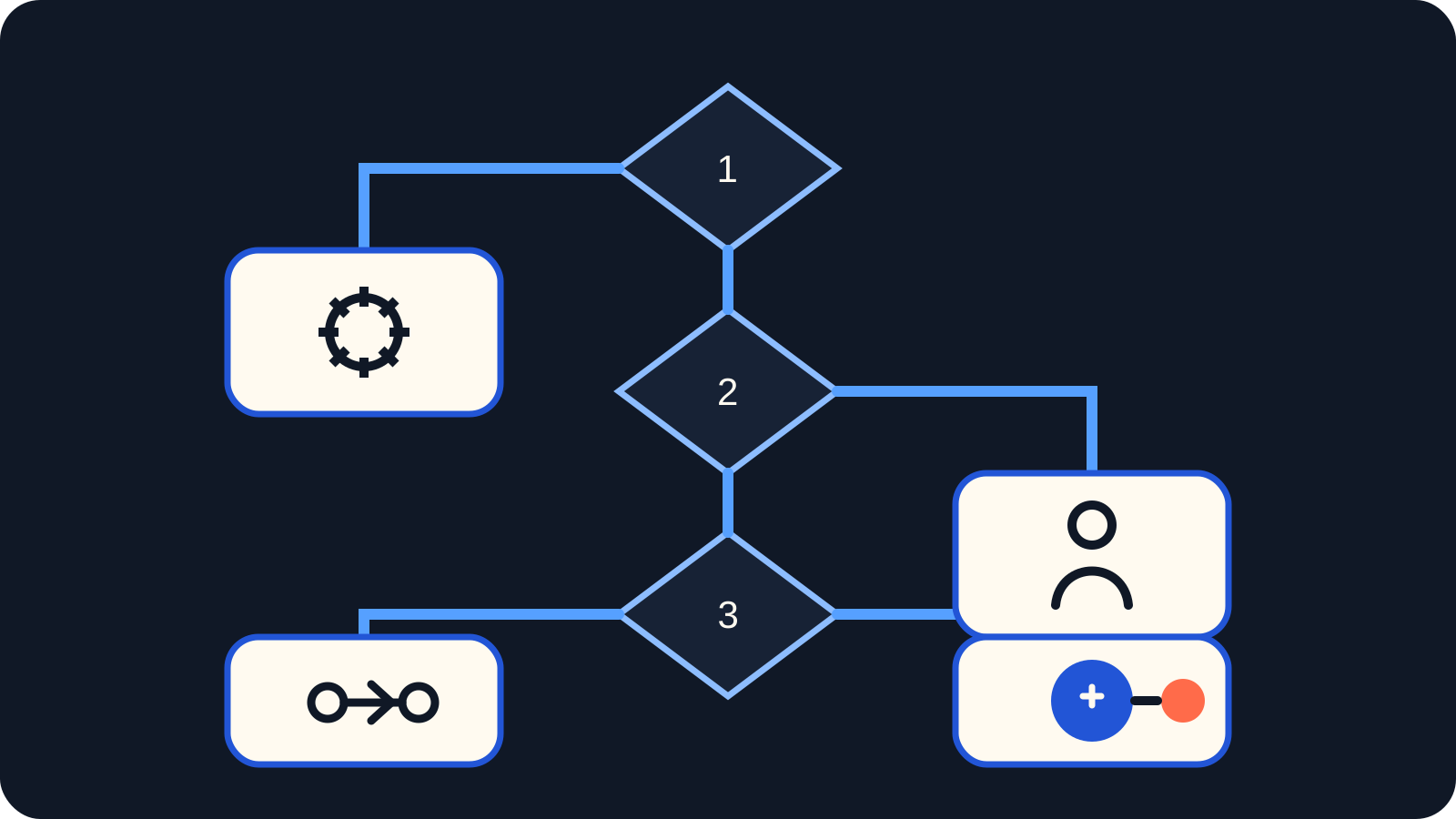
Conceptual decision filter: use the simplest mechanism that can handle the task's ambiguity, reversibility, and accountability requirements.
Match the symptom to the cheaper correct tool, not an agent costume.
| Symptom | Wrong move | Right move |
|---|---|---|
| Process undocumented | Agent pilot | Write the SOP; run it manually for a month |
| Pure if-then logic | "AI-powered" workflow | Zapier/Make/n8n or a script |
| One text step (summarize, draft, classify) | Full agent build | A single LLM call inside the existing tool |
| Dirty data everywhere | Agent that "cleans as it goes" | A data cleanup project with an owner |
| Low volume, high judgment | Automation of any kind | A person with a checklist |
| Pressure to "do AI" | Visible pilot with no metric | One scoped workflow with an acceptance test, or nothing |
The middle rows matter most. A large share of what gets pitched as agent work is a deterministic integration or a single model call wearing an agent costume - see Zapier/Make/n8n vs production agents for where that line runs.
AI agent vs automation
Deterministic automation is for doing: fixed rules, predictable outcomes, audit trails you can re-run in your head. An AI agent is for judgment across tools: multi-step choices, messy inputs, paths you cannot fully enumerate in advance.
Use automation (or a script) when predictability and debug cost beat autonomy. Use a single LLM call when one language step is enough - draft, classify, extract - without tool-chaining and unattended side effects. Only climb to a production agent when multi-step judgment is the real bottleneck and the eight stops are clear.
If leadership is blurting "AI agents" for every workflow, the spectrum above is the defensible translation: most work is still automation or one model call, not full agency.
The automation ladder
Climb one rung at a time, and only when the current rung is saturated:
- Manual work with a written SOP
- Deterministic automation for the rule-based steps
- A single LLM call where one step needs language or judgment
- A production agent when multi-step judgment across tools is the bottleneck
Manual SOP
    → Deterministic automation
        → Single LLM call
            → Production agent
Four-rung automation ladder from manual SOP to production AI agent. Skip rungs only if you accept paying for that learning during the pilot.
Each rung teaches you what the next one must handle: the SOP surfaces exceptions, the deterministic layer exposes data problems, the single LLM call reveals quality expectations. Teams that jump from rung one to rung four pay for that skipped learning during the pilot, at agency rates.
Autonomy levels (why full autonomy is rarely first)
Not every "AI" system is an agent, and not every agent should run with high autonomy. A simple control ladder (aligned with research levels of agent control) looks like this:
| Level | What the system does | Who stays in control |
|---|---|---|
| Script / simple processor | Fixed flow; model may only fill text | Human and code define every step |
| Router / single tool call | Model chooses among known paths or tools | Human bounds the menu |
| Multi-step agent | Model plans and iterates across tools | Human sets goals, permissions, and gates |
| High / full autonomy | Broad action surface, little real-time human constraint | Risk rises as control is ceded |
Full autonomy is rarely the right first step for business workflows with irreversible actions. A position paper on agent autonomy argues that risks to people increase as more control is ceded to autonomous systems, and argues against developing fully autonomous agents in the strongest sense (Mitchell et al., arXiv). In production work, start gated: draft-only, tool allowlists, and human approval on irreversible steps - see human-in-the-loop AI agents explained.
What research shows (short evidence)
These numbers are benchmarks and pilot research, not Northstar client outcomes and not proof that your workflow will fail. They support the "not yet" posture when readiness is weak.
- Web agents still lag humans on realistic web tasks. In the WebArena benchmark (paper version reporting GPT-4-class baselines), the best GPT-4-based agent reached about 14.41% end-to-end task success versus about 78.24% for humans (arXiv:2307.13854; environment: webarena.dev). That is a research environment, not your CRM - but it shows multi-step tool use is not "solved" by a demo.
- Office-task agents complete a minority of full tasks in a published snapshot. Carnegie Mellon coverage of TheAgentCompany reported that the best agent in that writeup (Claude 3.5 Sonnet) fully completed about 24% of tasks in the simulated company setting (partial credit raised scores further; models and leaderboards move) (CMU SCS news; paper: arXiv:2412.14161; project: the-agent-company.com). Treat that as a dated snapshot, not a permanent scoreboard.
- Most GenAI business pilots still struggle to show P&L impact. Fortune's coverage of MIT NANDA's State of AI in Business 2025 report describes about 5% of GenAI pilots achieving rapid revenue acceleration, with the vast majority stalling and delivering little to no measurable P&L impact - often framed as a ~95% "failure" rate for enterprise GenAI solutions in that report language (Fortune; report materials often mirrored e.g. State of AI in Business 2025 PDF). Scope this carefully: GenAI pilots broadly, not "AI agents fail 95% of the time."
None of that replaces your workflow checklist. It does justify saying "not ready" when process, data, metrics, ownership, or volume fail the stops above. For how production systems break after you ignore gates, optional reading: production agent failure modes.
What good looks like
- A workflow map exists before anything is built, exceptions included
- Irreversible actions have named owners and approval gates
- Tools of record are explicit, so the agent has one source of truth to act in
- Success is defined as finished work quality with a written acceptance test, not model verbosity
- The volume and error cost justify the build in arithmetic anyone can check
What bad looks like
- Demo Theater without a production path or acceptance test
- Unowned automations acting on live data with nobody watching the queue
- Invented metrics instead of operational evidence
- An agent built to satisfy a board slide rather than a workflow
- Dirty-Data Autopilot: "We will clean the data later" while the agent already acts on it
When to revisit
"Not yet" has an expiry date. Re-run the checklist when volume grows past a few hours a day of repetitive work, when the process has been stable for a quarter, when the data source gets an owner and a cleanup, or when a person doing the workflow becomes the bottleneck for revenue. The stop conditions are gates, not verdicts; most workflows that fail the checklist today pass it within a year of deliberate preparation, and the preparation itself - SOPs, clean data, deterministic steps - pays off even if no agent is ever built.
How Northstar helps
Northstar runs discovery before build, and discovery sometimes ends with "do not build an agent here yet" plus the cheaper path that fits (SOP, deterministic automation, single LLM call, or human plus checklist). When the checklist passes, we design and implement the production system with gates, evals, and handoff. See solutions, the companion on production agents, and human approval gates when irreversible actions are in scope.
If you want a readiness pass on one workflow - and a clear no when the stops fail - start from solutions.
FAQ
No. Tools without a workflow map still fail, just with a larger sunk cost attached. The platform license does not answer which workflow, which exceptions, which gated actions, or what "done well" means - and those answers are the project. Discovery on top of already-bought tools is usually faster, but it is never optional.